
Last updated on November 1, 2026 at 11:19 AM
Troubleshoot one identifiable customer action before changing your tracking setup. A store order, an event received by Meta and a purchase attributed to an ad are different records. This guide shows how to locate missing events, duplicates and incorrect purchase parameters, then verify a repair without adding another component that sends the same event.
Reviewed November 1, 2026. Meta and platform settings change. Start with the Meta assets guide if ownership or connections are missing; use the beginner guide for campaign fundamentals. The goal is to document a test order and explain whether each transmission worked as expected.
1. Find where the problem starts
“Meta missed a sale” is not yet a diagnosis. Record the store order, its payment state, occurrence time and currency. Then ask where the evidence stops. Do not rebuild campaigns to fix a missing browser request, or install a second CAPI integration because Ads Manager credits fewer purchases than your store.
| Step to check | Question | Evidence |
|---|---|---|
| Store | Did the intended transaction occur? | Order, payment state and defined amount. |
| Delivery | Did each configured component actually send the event? | Browser request or server response and log. |
| Parameters | Does the event describe that action correctly? | Name, time, ID, value, currency and items. |
| Deduplication | Are the browser and server copies recognized as the same action? | Matching keys and Meta diagnostics. |
| Customer matching | Can permitted identifiers connect the event to a person? | Available customer-information parameters and diagnostics. |
| Attribution | Is this purchase attributed to an ad under the reporting rules? | Selected attribution setting, dates and report definition. |
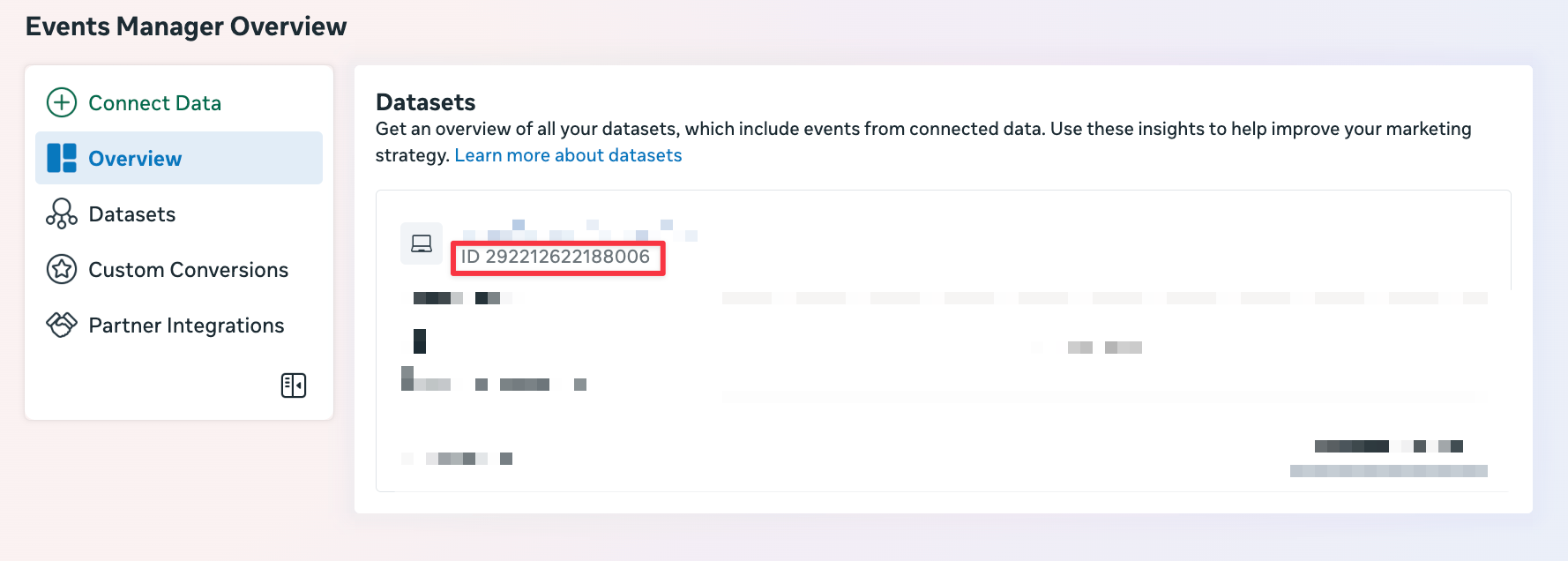
Meta’s verification guide explains that Overview can show received events before deduplication and other processing. Two received copies are not, by themselves, proof of two counted purchases. Inspect the event details and connection methods. An intentionally server-only action has no browser copy to pair.
Meta’s CAPI optimization training treats matching, coverage, deduplication and freshness as distinct checks. A high match-quality indicator does not establish correct revenue, deduplication or business profit.
2. List everything that sends events before changing settings
List the intended dataset/pixel ID, owner, event names, browser sender, server sender, app or plugin version, consent dependency and last successful test. Include theme code, tag managers, custom pixels, checkout extensions, partner apps and server-side services. Record which component owns Purchase; “installed” is not evidence that it is the only active implementation.
Shopify path
Open the official Facebook & Instagram channel and inspect Settings → Data sharing settings, the connected pixel and customer-events configuration. Shopify’s current data-sharing documentation distinguishes Standard from Enhanced and Maximum; the latter two include CAPI. Settings can differ with installation history. Also inspect custom pixels and older theme or tag-manager code; do not install another server sender merely because a browser helper cannot see server events.
WooCommerce path
Record the installed extension and version, connected assets, order status and relevant logs. The official Meta for WooCommerce documentation says its CAPI integration is included. Check whether another pixel plugin, theme snippet or tag manager also sends Purchase. Compare the installed version with its own documentation rather than applying Shopify menu instructions.
Export or record the current configuration before changing it. Give one person responsibility for the test and a rollback plan. Remove a confirmed redundant path deliberately; switching off several components together destroys the comparison.
3. Review the 2026 setup options without assuming a migration
Meta’s April 15, 2026 announcement introduced a simplified Meta-enabled CAPI option and said existing partner or custom CAPI setups were unchanged. It separately described a Pixel enhancement with a 30-day review notification before enablement. These are different updates; the announcement does not prove your account’s present configuration or require you to replace a working partner integration.
Inspect the live implementation. Meta’s official GTM template v2.0.9 source reviewed for this guide includes a Meta-enabled CAPI opt-in default and treats an undefined value as opted in. Template versions and settings therefore matter. After an update, check actual connection methods and event IDs; do not assume a new option is off, or that enabling it coordinates automatically with your custom sender.
4. Capture one controlled test order
Use your platform’s supported test procedure and a fresh browser session with recorded consent choices. A real checkout test needs authorization and the payment provider’s supported procedure. Do not paste access tokens or real customer details into a public troubleshooting document.
| Field | Expected result in this example | Actual evidence to retain |
|---|---|---|
| Order reference | DEMO-1042, confirmed transaction state | Store record and time zone. |
| Purchase action | One action, not every confirmation-page visit | Trigger and original occurrence time. |
| Browser and server event IDs | Purchase and demo-purchase-1042 | Pixel ID, both names and both event IDs. |
| Amount | 2 units × 32.00 = 64.00 USD | How the amount is calculated, and the parameters received. |
| Items | DEMO-TEE-BLU-M, quantity 2 | Actual catalog identifier and variant. |
| Test conditions | Known device, integration version and consent state | Redacted request, response and diagnostic result. |
This constructed amount uses merchandise value after discounts, excluding tax and shipping, solely to make the comparison explicit. Determine the correct expected basis for your integration; do not force every platform to follow this example or GA4’s value convention.
DEMO-1042 · Same pixel / datasetPurchasedemo-purchase-104264.00 / USDPurchasedemo-purchase-104264.00 / USDeventIDevent_id5. Trace event creation, transmission and receipt
If the browser copy is missing, verify the published pixel ID, consent behavior, page or app-pixel execution, selected event trigger and request errors. A browser extension can help inspect browser events; it does not certify your server integration. Compare an accepted choice with the applicable rejected or withdrawn state, without disabling privacy controls to make diagnostics green.
If the server copy is missing, follow the order into the integration’s queue and logs. Check the trigger’s required order state, destination pixel ID, credentials and permissions, delivery response and retry status. “No error on the thank-you page” says nothing about a failed background job. Redact credentials and personal fields when sharing logs.
Find the first step with a missing record. If no event was created, fix the trigger. If a request failed validation, fix the named field. If the request was accepted but the event is not visible, check the dataset, time range and whether you are viewing the test or live environment before resending batches.
6. Compare event IDs to investigate duplicates
Meta’s deduplication documentation describes matching the same event name and ID sent to the same pixel: browser eventID corresponds to server event_id. The corresponding deliveries must arrive within its 48-hour window. Do not turn that window into a routine delivery delay.
For the fictional order, compare both raw IDs character by character. Two random IDs generated independently do not describe a shared occurrence. Conversely, reusing one ID for different purchases can suppress valid events. Generate or obtain the occurrence ID once and share it through the intended integration.
- Two browser deliveries: inspect duplicate tags, automatic events, custom code and confirmation-page reloads.
- Two server deliveries: inspect overlapping apps, webhook handling and retries.
- Browser plus server: compare pixel, event name, event ID and timing before declaring deduplication broken.
| Observation | Check next | How to confirm the fix |
|---|---|---|
| An extra Purchase follows a page reload | Whether revisiting the confirmation page creates a new purchase event instead of recognizing the existing order. | A revisit does not send the same order as a new purchase. |
| Browser and server IDs differ | Which component generates the event ID, and whether the other receives the same value. | Both copies share the expected ID; the next order has a different ID. |
| Duplicates began after an app update | Published versions, connection methods and newly active senders. | One intended implementation owns each delivery path and the test is repeated. |
The documentation’s fallback method using fbp and/or external_id has sequencing limitations. Prefer the explicit shared event-ID design when you control the integration; do not assume every repeated request is automatically deduplicated.
7. Check value, currency and item identity separately
Compare the received amount with the documented order basis: discounts, tax, shipping, presentment currency and the event’s trigger state. Common mistakes include cents treated as currency units, formatted text instead of a number, base currency paired with a presentment amount, and browser/server copies calculated differently. A correct event count can still carry incorrect revenue.
For a custom implementation, an item-level event like the one in this example could contain content_ids: ["DEMO-TEE-BLU-M"] and content_type: "product". Inspect the data actually sent by the integration and catalog record before changing either. For a group-level event, the identifier and content type must describe that group consistently, not a variant paired with a group label.
The official SDK’s custom-data model distinguishes value, currency, content IDs and content type. Keep identifiers as the strings used by the connected catalog, including prefixes and case. Your internal SKU is not automatically Meta’s item ID. Use the catalog ads tutorial to check item-versus-group matching.
DEMO-TEE-BLU-M64.00USD["DEMO-TEE-BLU-M"]product8. Improve customer matching using permitted data
Deduplication identifies copies of an action; matching uses permitted customer-information parameters to connect an event to a person. Attribution then applies reporting rules to eligible ad interactions. Improving one does not prove the others are correct.
Review the fields your integration actually receives and is permitted to send. Follow field-specific normalization and hashing rules; hashing is not a consent mechanism. Do not fabricate click identifiers or fill absent customer information with invented values. Meta’s customer-data model treats customer information and browser/click identifiers as separate parameters.
For Shopify-managed surfaces, the Customer Privacy API exposes processing permissions. Test the actual app and server path too. Server transmission is not permission to ignore a customer choice. Keep sensitive form contents and identifying URL parameters out of generic event fields.
9. On a retry, resend the same event without creating a purchase
For a custom implementation, save a key identifying the action, original event time and delivery state before queueing. A retry should refer to the same action, not generate a new purchase ID. Meta’s event model defines event_time as when the action occurred, not when a retry happened.
Handle repeated webhook notifications of the same order-state change without creating a new event each time. This is idempotent processing. Log attempts and responses, limit retries according to the error, and investigate jobs that have been waiting too long. Meta deduplication does not replace your own queue controls. Resending old orders with fresh IDs can introduce other reporting errors.
demo-purchase-1042demo-purchase-1042demo-purchase-1042demo-purchase-104310. Verify the repair beyond Test Events
Use the supported Test Events workflow for your integration. In a direct CAPI implementation, test_event_code is a request parameter for that tool, as shown in Meta’s event-request model. Seeing the test is evidence of receipt in that context, not proof of production collection or ad attribution.
Remove test-only configuration when appropriate, then verify an authorized test of the buying process in the live store using the provider’s procedure. Confirm original action, intended browser/server deliveries, matching event IDs, correct parameters and diagnostics. Revisit the confirmation page and retry the integration’s supported delivery path to investigate duplicates. Do not manufacture a real ad click merely to force an attribution result.
Close the issue with expected result, actual evidence, exact configuration change, owner, rollback and retest date. If received events are correct but Ads Manager still differs, examine reporting definitions and attribution separately. The GA4–Shopify reconciliation guide explains why comparing unlike revenue totals can manufacture a tracking problem.
11. Common questions
Will CAPI recover every missing browser event?
No. A server path can send only events and data its implementation actually receives and processes under the applicable choices. Check its trigger and evidence; do not promise complete recovery from a missing browser signal.
Should I paste a new pixel snippet beside the partner app?
Not as a diagnostic shortcut. First establish what the partner already sends and who owns each event. Use an isolated, reversible comparison to remove a confirmed duplicate rather than layering another implementation onto an unexplained one.
What should you document after troubleshooting?
Keep the list of sending components, redacted test record, approved amount definition, which component generates the event ID, consent tests, retry policy and repair evidence together. Record what remains unresolved instead of describing a successful test as a guarantee that all future orders will be measured.